MiCasino app Venezuela: access it from your phone and distinguish the website from an APK
If you are looking for the MiCasino app for Venezuela, start with the option you can check directly: open MiCasino.com in your phone’s browser. There you can check account access and the features enabled by the platform, without installing a file from an unknown source.
Mobile access: verify any APK through a distribution linked by the operator. This guide does not confirm a specific official native app for Venezuela.
In this review, we have not confirmed a current official link to a native MiCasino APK or a store listing specifically for Venezuela. That does not prevent you from using the mobile website. Nor does it justify calling any download bearing the same logo an “official app”.
Mobile website, shortcut, PWA and native app: what you are using
Four access methods can look similar when an icon appears on your screen. The difference lies in how they work and who distributes them. Understanding it helps you choose without expecting features the website has not confirmed.
Ways to access MiCasino from your phone
Option
What it does
What you can conclude
Mobile website
Opens the website in Chrome, Safari or another compatible browser.
You do not need to download an installer.
Shortcut
Saves an icon that leads to the website.
Makes access easier; does not prove a native app exists.
Web app or PWA
The browser can open the website in its own window and offer compatible features.
Features depend on the website and device.
Native app / APK
Installs software developed for the operating system.
You need to confirm its origin and official publication.
An icon does not guarantee notifications, offline operation or updates from a store either. For MiCasino, we do not consider those features verified simply because you can add the website to your home screen.
How to log in to MiCasino from Venezuela
Type MiCasino.com’s address and check the domain before entering your details. If you arrived from a search, pay particular attention to the destination: the brand name in a result’s title does not necessarily identify the operator.
Open the website in your usual browser. Use a normal tab if you want to keep your session according to the available options.
Find Access or Log in. The layout may change with screen width.
Enter your username or email and password. Check that autofill has not selected another account.
Complete additional verification if it appears. Use the channel associated with your own profile.
Check your balance and currency. Confirm you have logged in to the expected account before using the cashier.
If you do not have an account yet, follow the registration guide for Venezuela. Do not create a new profile because your browser has forgotten the password; use password recovery first.
Android: add a shortcut from Chrome
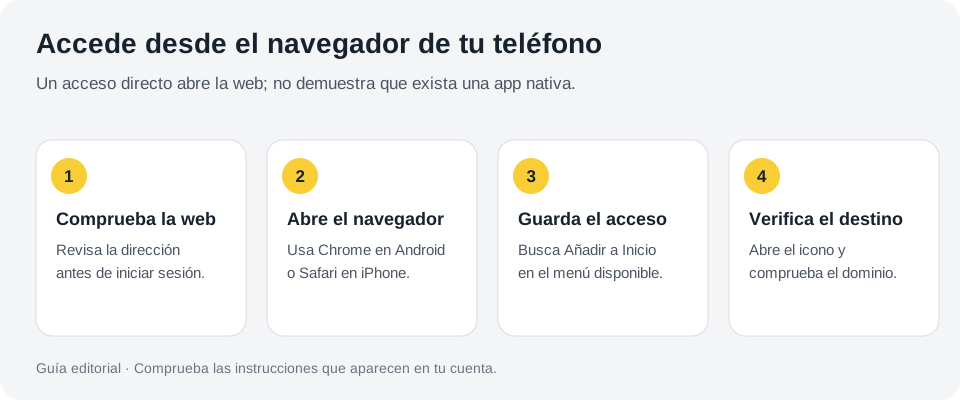
Google explains how to create a website shortcut from Chrome’s menu. Open the website, tap the three dots and look for Add to Home Screen; then select the shortcut option and confirm the name. Labels may vary by version.
Editorial illustration of browser access; does not represent a native app.
If Chrome shows a web app installation option, read what it offers and confirm you are still on the correct domain. Google distinguishes web app use from creating a simple shortcut. Neither option requires looking for an APK on another website.
Open the new icon once to check the destination. If you only see a bookmark inside the browser, nothing is wrong: you have a website shortcut. You can remove it without deleting your MiCasino account.
If Add to home screen does not appear
Check that you are using Chrome rather than a social network’s built-in browser. Open the link in your phone’s main browser and check the menu again. If the option still does not appear, save a bookmark and use the website normally.
iPhone: save MiCasino from Safari
Apple lets you add a website to your home screen from Safari. Open the website, go to Share, choose Add to Home Screen and confirm. On compatible versions, you can enable Open as Web App. If you do not see the action, review the options available in the Share menu.
The icon makes it easier to return to the website, but your session may depend on cookies and security checks. If it asks you to log in again, it does not necessarily mean you installed anything incorrectly.
An APK is an Android format and cannot install an app on an iPhone. If a page asks you to download one for iOS, that does not match Apple’s procedure. Return to web access or check an official release from the operator.
MiCasino Android APK: what you can verify before downloading
A search for “MiCasino APK” may return pages using the brand without proving any connection to it. Do not treat a version number, a rating or the phrase “latest update” as proof of authenticity.
Before considering an installer, find its link within the operator’s official website and confirm that its help section acknowledges the app. Check the developer and the permissions it requests. If you cannot connect these elements, use your browser.
This guide does not provide an unverified download link or claim that not finding a listing proves an app never exists. The conclusion is more specific: we have not confirmed an official native distribution for Venezuela in the review dated 25 September 2026.
You do not need to enable installations from unknown sources to log in to the website. You do not need to send your password to anyone offering to “activate” an app either.
What you can do on the mobile website
MiCasino’s guides show registration, user dashboard, cashier and game navigation from a phone. Actual access depends on the account, browser and service availability. We do not consider absolute equivalence with a supposed native app proven.
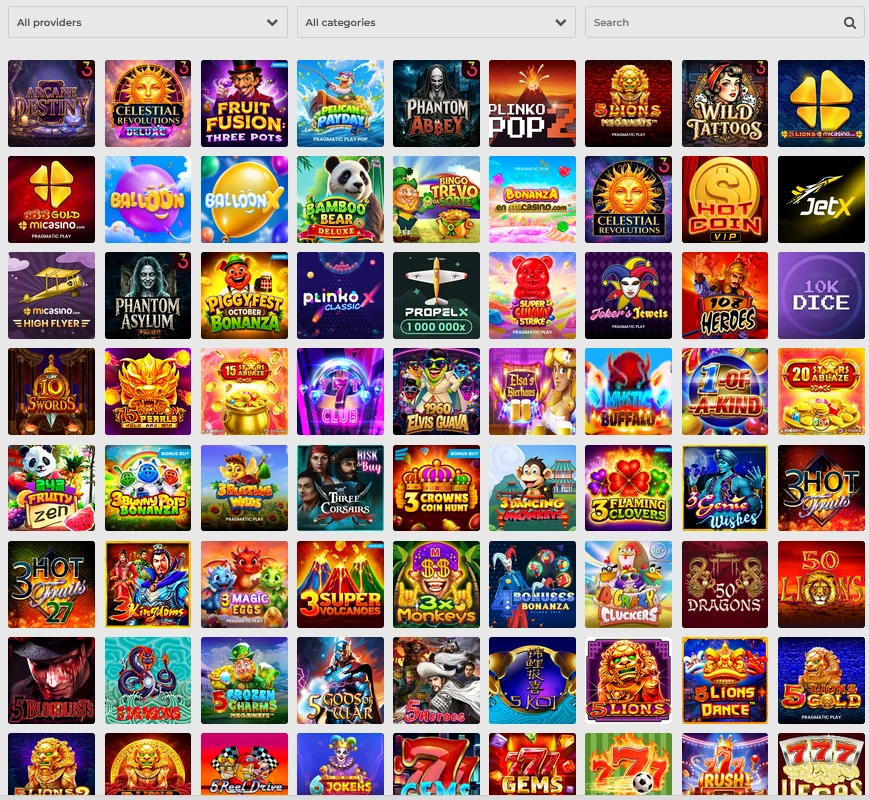
Catalogue reference, not a native app screenshot. Control layout changes with the device.
Organise your session around what you plan to do. For a deposit, keep your bank receipt handy; to upload documents, prepare legible photos; for a sports bet, check the bet slip before switching apps.
In Casino, open the slot’s rules from its own menu. In Live casino, check that the video and countdown run smoothly. In Sports, check the bet appears in your history after confirming it.
Pago Móvil and crypto from your phone: do not lose the reference
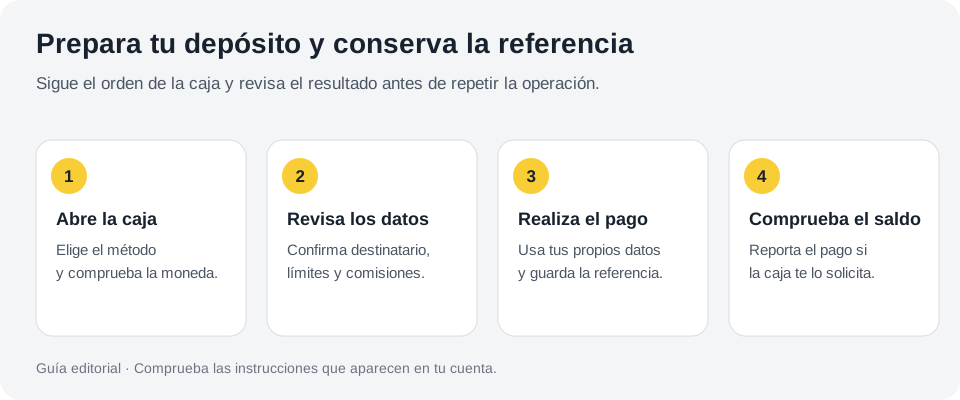
If you use Pago Móvil, first open the cashier instructions and make the transaction in your banking app. When you return to MiCasino, check whether you must report the payment. Do not close the receipt before saving its reference and the exact amount.
Editorial illustration: keep the reference while switching between the cashier and your banking app.
For crypto, check what you copy between apps. Verify the address, asset and network after pasting, not just before. If the cashier generates a request with an expiry time, check that it is still valid before sending.
Phone notifications can display codes or amounts while you share your screen. Avoid exposing them to others. For limits, fees and crediting, see the payment guide for Venezuela.
Mobile data, Wi-Fi and outages: adapt your session to the connection
An account screen may load correctly while a live table becomes unstable. Video requires a sustained connection. If the signal fluctuates, leave the live session between rounds and return when you can follow it clearly.
Reduce activities competing for bandwidth, such as downloads or simultaneous streaming. Use a trusted network and try not to switch from Wi-Fi to mobile data during confirmation. If your phone runs out of battery or loses signal, check your history when access returns.
Saving a shortcut does not let you bet without Internet access. Nor is there a fixed amount of data that describes every session: viewing a sports table, playing a slot and keeping a video stream running use different resources.
VPN in Venezuela: resolve access without falsifying your location
A VPN changes your connection’s route and may make the service detect a different location. Do not use it to declare a false country, bypass territorial restrictions or change an account’s conditions. Consult the operator’s rules for your situation.
If you see a country-not-supported notice while using a VPN, proxy or corporate network, check your settings and contact support from your actual location. Do not try random countries until the form appears.
If the issue seems technical, first check the domain, connection and error message. A website failing to load does not by itself prove a national block. This review has not confirmed any general need for Venezuelan users to use a VPN.
The page will not open or the game is blank: follow this order
Practical troubleshooting on your phone
Symptom
What to check first
Next step
The website will not open
Address, signal and access to other pages.
Try again from a trusted network and note the error.
Your session closes
Cookies, private mode and outstanding checks.
Log in in a normal tab and check Security.
The game remains blank
Compatibility, full loading and provider restrictions.
Try another game and report which one fails.
The video cuts out
Network stability and background apps.
Let the round pass and check your history if you placed a bet.
A payment seems frozen
Bank and MiCasino transaction history.
Keep the reference; do not repeat blindly.
The password is not recognised
Username, email and autofill.
Use account access recovery.
Updating your browser may resolve compatibility issues. If you choose to clear website data, remember you will lose your session and need to log in again; save any incident reference first. Do not delete files or credentials you still need to explain the problem.
Protect your account when your phone changes hands
Enable your phone’s lock and avoid saving account access on a shared device. Review what notifications display on the lock screen. A strong password does not help if someone else can open your already logged-in session.
If you lose your phone, first protect your email and access methods, then ask MiCasino support for help with account sessions. Describe the situation without giving codes to contacts who message you through unverified channels.
The help centre advertises round-the-clock assistance. Access Help within the website to check the channels and save a case number when reporting a persistent issue.
These are some reviews posted by MiCasino users on Trustpilot. Experiences may vary by player, payment method and account terms.
★
Player reviews on TrustpilotReal experiences shared by users
M
Maria Meyona27 May 2026
CHILE
★★★★★5 out of 5
The website is easy to understand and fair too. Personally, I have been very lucky and have won over $1,000.
✓Published on Trustpilot
R
Rocio Gomez3 June 2026
CHILE
★★★★★5 out of 5
Micasino is my favourite
Micasino always surprises me with how quickly they pay. Last time I won €160 and had the money in under 15 minutes. Plus, every time I deposit they give me free spins, which I love.
✓Published on Trustpilot
F
Fabiana Villafuerte9 May 2026
CHILE
★★★★★5 out of 5
Excellent platform
I love slot games; I have won and withdrawn my winnings. What I like most is the variety of sections for every taste, including sports betting.
✓Published on Trustpilot
C
Jose RodriguezVideo experience
CHILE
★★★★★5 out of 5
Watch a MiCasino player’s experience in this short video.
✓Published on Trustpilot
Frequently asked questions about MiCasino mobile
Where do I download the official MiCasino Venezuela app?
We have not confirmed a current official native download for Venezuela. Open MiCasino.com in your browser and check the links published by the operator itself.
Can I use MiCasino without installing an APK?
Yes, you can use web access when the service is available for your account and browser. Creating a home-screen icon is optional.
Does adding to the home screen mean installing a complete PWA?
Not necessarily. It may create a shortcut or a web app depending on the website and browser. Do not assume extra features.
Does the shortcut save my account?
It saves access to the website. Keeping the session depends on cookies and service checks; you may need to identify yourself again.
Does MiCasino work offline?
You need a connection to access your account, submit transactions and play. An icon on your phone does not turn these functions into offline activities.
Do I need a VPN to access MiCasino from Venezuela?
We have not confirmed a general need. If you have an access problem, discuss the error with support and use your actual details and location.
Does deleting the icon delete my account?
No. Removing phone access does not request account closure or self-exclusion. Use the operator’s procedure for those actions.
How we prepared this guide
Editorial team. We bring together public documentation from MiCasino, its help centre, providers and the CGA register to explain how to prepare an account from Venezuela. Last reviewed: 25 September 2026.
Distinguish calculation examples from current terms. We do not present Venezuelan account transactions as tests we performed. Consult our methodology to understand the review’s scope and limitations.

 EN
EN Español
 Português
 Français